What to look for in inventory and GST billing software, whether to buy ready-made or build custom, and what a first version costs, written for small businesses in India.
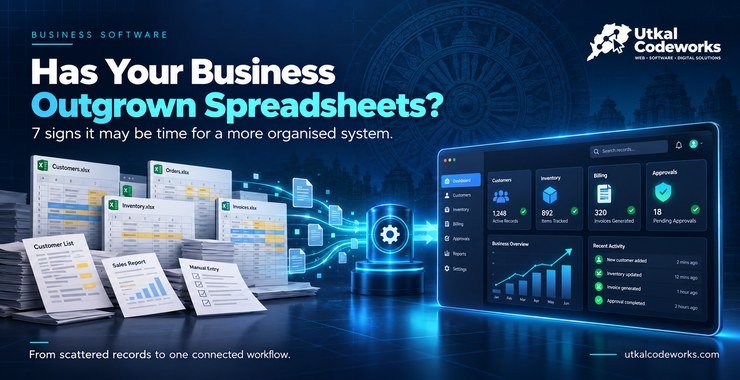
Many small businesses in India keep stock in one sheet, bills in another billing tool and payments in a notebook. The numbers rarely agree, and finding out what is actually in the godown takes a phone call.
Inventory and billing software puts these records together. This guide explains what to look for, when ready-made software is enough, when it makes sense to build your own, and what a first version costs.
What Is Inventory and Billing Software?
Inventory and billing software is a single system that tracks what you buy, what you hold and what you sell, and produces invoices from the same records.
When you record a purchase, stock goes up. When you raise an invoice, stock goes down and the customer's balance changes. Reports such as stock on hand, party-wise dues and sales by item are always current because they read the same data.
Features Small Businesses Should Look For
Item master: product names, units, categories, brands, selling and purchase prices, and opening stock.
GST invoicing: tax rates, item codes and invoices in the format your accountant expects.
Purchase entry: supplier bills that add to stock automatically.
Sales and returns: invoices, credit notes and returns that adjust stock and balances.
Party ledgers and dues: what each customer owes and each supplier is owed.
Low-stock alerts: a reorder list so you do not run out of fast-moving items.
Reports: stock, sales, purchase, GST and outstanding reports, exportable for your accountant.
User roles: staff can bill without seeing purchase costs or profit.
Backups: regular backups so a computer fault does not erase your books.
Mobile access: the owner can check stock and dues from a phone.
Because tax rules and invoice formats change, confirm current GST requirements with your accountant before you go live.
Ready-Made or Custom Software?
Ready-made software is better when your process is standard, and custom software is better when your process is not. Use this comparison:
Choose ready-made if you sell standard goods, have one location, want to start this week and are comfortable with a monthly or yearly subscription.
Consider custom if you have special pricing rules, batches or expiry tracking, several outlets or godowns, approvals, or reports that ready-made tools cannot produce.
Consider custom when your team repeats manual work between tools, for example copying orders from WhatsApp into a billing system.
How Much Does Custom Inventory and Billing Software Cost?
Our recommended starting price for an inventory and billing MVP is ₹64,999. These starting prices come from our packages page, and every project is scoped individually:
Basic admin panel or CRUD application: from ₹34,999
Custom web application MVP: from ₹44,999
Inventory and billing MVP: from ₹64,999
Single-module CRM or ERP: from ₹79,999
Multi-module ERP or CRM: custom quotation
Final pricing depends on the modules, user roles, integrations, reporting and complexity. Domain, hosting and GST are separate. The usual payment schedule is 50% to begin, 30% after the preview and 20% before handover.
What a First Version Should Include
A first version should cover the daily loop of buying, stocking and selling, and nothing more.
Item master with units and prices.
Purchase entry that adds stock.
Sales invoices with GST that reduce stock.
Customer and supplier balances.
Three reports: stock on hand, sales and outstanding dues.
Logins for the owner and staff with different access.
Everything else, such as barcode printing, multiple godowns or online ordering, can follow once the team trusts the system.
Moving Your Existing Stock into the System
The quality of your opening data decides how useful the software is on day one, so prepare it before the build is finished.
Export your item list from your current sheet or billing tool.
Standardise names and units. "Cement 50kg", "Cement (50 kg)" and "cement bag" should become one item.
Count the actual stock on a fixed date and use that as the opening balance.
List customer and supplier balances as on the same date.
Import and check a sample of items and parties against the originals before going live.
It is better to spend a day on this than to carry months of wrong figures into a new system.
Questions to Ask Any Vendor
Can the system produce the exact reports my accountant asks for?
How are backups taken and how quickly can they be restored?
Who can see purchase prices and profit, and can I restrict it?
What happens to my data if I stop using the service?
How are tax rate and invoice-format changes handled?
What does support cost after the first few months?
How We Build It
We start by listing your items, your billing steps and the reports you use today. We then agree a written scope and build the core loop first, so you can test it with real entries before more is added. You can read how we run these projects on our inventory and billing solutions page, and how the database is planned on the database design page.
You work directly with the founder. AI tools help with research, testing and documentation, and a person reviews every technical decision.
For Businesses in Bhubaneswar and Odisha
Distributors and wholesalers (Bhubaneswar, Cuttack, Berhampur): party-wise dues, scheme discounts and order entry from WhatsApp are the most common needs.
Retail and pharmacies: fast billing, batch and expiry tracking and low-stock alerts.
Hardware, electrical and building-material shops: many items, units and variable prices make a proper item master worthwhile.
Hotels, restaurants and caterers: consumable stock and purchase tracking help control costs.
Ask your accountant how they want the data, and plan the invoice format and any Odia labels at the start, not after the system is built.
What Changes Day to Day
Once the system is running, the daily routine gets shorter and calmer.
Morning: check the low-stock list and the day's pending orders instead of walking the shelves.
During the day: staff enter purchases and invoices once, and stock and balances update on their own.
Evening: the owner opens the sales and dues reports in a minute rather than building them from sheets.
Month end: the GST and stock reports are ready for the accountant without retyping.
Common Mistakes to Avoid
Buying a tool with too many features and using a tenth of them.
Skipping the item master clean-up, which then carries bad data into the new system.
Not planning backups.
Giving every user full access.
Trying to build everything at once instead of the daily loop first.
Next Steps
List your items, your billing steps and the three reports you check most, then compare ready-made tools against that list. If none fits, talk to us about a small custom first version. To understand how this differs from a normal website, read website vs web application.
It is software that records your stock, purchases, sales and invoices in one system, so stock levels update automatically when you buy or sell and GST invoices can be printed from the same records.
Should I buy ready-made software or build custom software?
Ready-made software is a good choice when your process is standard. Custom software is worth considering when your workflow is specific, you need integrations or reports that ready-made tools do not offer, or you want to own and adapt the system.
How much does custom inventory and billing software cost?
Our recommended starting price for an inventory and billing MVP is ₹64,999. Final pricing depends on modules, user roles, integrations, reporting and complexity, and domain, hosting and GST are separate.
Can the software create GST invoices?
Yes, GST invoicing can be built into the system, including tax rates and item codes. Because GST rules change, confirm the current requirements for your business with your accountant before go-live.
Can I start with a small version?
Yes. Many businesses begin with stock and billing only and add purchase, reports or more users later. A smaller first version is cheaper and lets your team start using the system sooner.