Founder-Led Website, Software & ERP Development in Bhubaneswar, Odisha

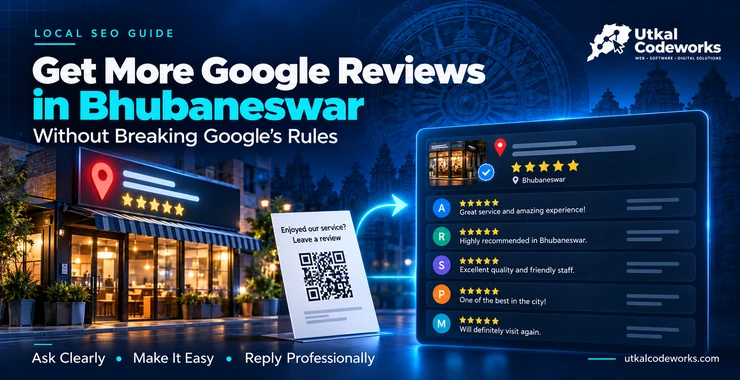
How to Get More Google Reviews in Bhubaneswar (Without Breaking Google's Rules)
Get more Google reviews for your Bhubaneswar business: your review link and QR code, when to ask, WhatsApp messages to copy, and what Google bans.
When someone in Bhubaneswar searches for a dentist in Patia or a caterer near Jaydev Vihar, Google shows a map with three or four businesses. Many people look at the stars and the number of reviews before they look at anything else.
A shop with 9 reviews sits next to one with 140. Even if the first shop is better, the second one often gets the call.
Plenty of happy customers will leave a review if you ask at the right moment and make it easy. A lot of businesses simply never ask. This guide covers how to ask, what to send, and the few things Google will punish you for.
Step 1: Get your review link and QR code
Google gives every business a short link and a QR code that open the review box directly. Customers don't have to search for you, find your listing and hunt for the button. Fewer taps means more reviews.
To find them, sign in to the Google account that manages your Business Profile. Search your business name on Google or open your profile, then look for the option to ask for reviews. Google's help page on creating a review link or QR code shows the current steps.
Once you have them:
- Save the link in WhatsApp as a quick reply, so you can send it in two taps
- Print the QR code on a small card for your counter, reception desk or billing table
- Add it to your bills, delivery slips or the thank-you message you already send
- Put a "Review us on Google" button on your website's contact page. If you don't have a website yet, see what a website costs in Bhubaneswar
One thing to know: customers need a Google account to leave a review. It doesn't have to be Gmail. Most people with an Android phone already have one.
Step 2: Ask at the right moment
Timing matters more than wording. Ask when the customer has just had a good experience and still has their phone in hand:
- A salon: when the customer is looking in the mirror and smiling
- A clinic: at the payment counter after a visit that went well, or with the follow-up message the next day
- A restaurant or caterer: when guests thank you, or the morning after an event
- A shop: when you hand over the bill or the delivery
- A service business (AC repair, interiors, a CA): the day you finish the job
Ask in person first, then send the link on WhatsApp so they don't have to remember.
And ask everyone, not only the customers you think will give five stars. Google doesn't allow picking only happy customers to ask. More on that below.
Step 3: Send a short message
Keep it short, personal and easy. Use the customer's name and say what you did for them. Here are three you can copy and change.
After a visit or purchase:
Hi Priya, thank you for coming in today. If you have a minute, a Google review would help other people in Bhubaneswar find us. Here's the link: [your link]
After a finished job:
Namaskar Nayak babu, your kitchen work is done. Thank you for trusting us with it. Could you share a few words on Google about how it went? [your link]
A gentle reminder a few days later (send only once):
Hi Ravi, just a small reminder about the Google review, only if you get time. It helps a small business like ours a lot. [your link]
If your customers are more comfortable in Odia, write the message in Odia. A message that sounds like you will get more replies than a polished one that sounds like a template.
What Google doesn't allow
Google's rules are strict, and its spam filters remove reviews automatically. Break these and you can lose reviews you earned honestly, or get your profile restricted. The full list is in Google's prohibited and restricted content policy.
- No rewards for reviews. No discount, free item, cashback, lucky draw or "10% off your next visit" in exchange for a review. Google calls this fake content and bans it outright, even if the review is honest.
- No picking only happy customers. Sending the link only to people you expect to give five stars, or sending unhappy customers to a private form instead, is not allowed. Ask everyone the same way.
- No reviews from yourself, your staff or your family. Reviews must come from real customers with a real experience.
- No buying reviews. Sellers of "50 five-star reviews" can get your profile restricted, and those reviews tend to disappear anyway.
- No asking people to change or remove a bad review in exchange for something. Reply to it instead (next section).
- No copy-paste review text. Don't send customers a ready-made review to post. Let them write in their own words.
Google also says its filters sometimes remove real reviews by mistake. If a few genuine reviews vanish, that's not always your fault. Asking a few customers every day is also safer than a sudden campaign that brings fifty reviews in one week, which may look unnatural.
Step 4: Reply to every review, especially the bad ones
Replies are public. A new customer reading your reviews sees how you treat people, and that matters too.
For good reviews, skip the same "Thank you!" on every one. Mention something specific from the review. Keep it short, and don't use the reply to push an offer.
Thank you, Anita. Glad the bridal makeup held up through the whole reception. See you at your sister's wedding!
A bad review feels personal, but a calm reply can limit the damage. Google's own advice for negative reviews comes down to this:
- Reply within a day or two
- Use their name and refer to what actually happened
- Apologise where you got it wrong, and explain plainly where something was outside your control
- Never share their private details or argue in public
- Offer to sort it out by phone, and give the number
Sorry about the wait on Saturday, Mr Patnaik. We had two staff off sick and should have told you when you arrived. Please call me on 98XXXXXXXX and I'll make it right.
Some people update their review after a good reply. Even when they don't, the next reader sees someone who listens.
A few negative reviews among many good ones also look more believable than a wall of perfect five-stars. Google says a mix of feedback often feels more trustworthy.
If a review is fake, abusive or from someone who was never a customer, report it from your Business Profile instead of replying angrily. Google's page on reporting inappropriate reviews explains how.
A 30-day plan for a Bhubaneswar business
You don't need a big push. You need a habit. Here's a simple month that fits around normal work.
Week 1
- Get your review link and QR code
- Save the WhatsApp message as a quick reply
- Print the QR card for the counter
- Reply to every review you already have, old ones included
Week 2
- Ask every customer you serve, in person, and send the link the same day
- Tell your staff to do the same, and show them the message
Week 3
- Send one reminder to customers from the past month who said yes but didn't post
- Add the review link to your bills and your website
Week 4
- Check how many new reviews came in and reply to each one
- Keep what worked and drop what didn't
A few examples of where the ask fits:
- A physiotherapy clinic in Patia can send the link with the next appointment reminder
- A tiffin service in Saheed Nagar can add one line to the monthly payment message
- A wedding photographer can ask when the album is delivered, not on the wedding day
Reviews are one part of your profile. Photos, the right category, opening hours and regular posts matter too. Our 10-step Google Business Profile checklist covers the rest.
Want someone to handle this for you? Our Google Business Profile management starts at ₹2,199 a month and includes posts, photo updates and review monitoring. Or message us on WhatsApp and we'll look over your profile. You can see the full prices on our packages page.
Sources
The rules in this post come from Google's own help pages:
- Tips to get more reviews
- Create a Google link or QR code to request reviews
- Manage customer reviews (read and reply)
- Prohibited and restricted content
- Report inappropriate reviews on your Business Profile
- About missing or delayed reviews
FAQs
Frequently Asked Questions
How do I get my Google review link?
Sign in to the Google account that manages your Business Profile, open your profile and choose the option to ask for reviews. Google gives you a short link and a QR code to share.
Can I offer a discount for a Google review?
No. Google bans any reward for a review, including discounts, free items and lucky draws. Those reviews can be removed and the profile restricted.
Can I ask only happy customers for reviews?
No. Google doesn't allow asking only customers you expect to leave good reviews. Ask everyone the same way.
Why did some of my Google reviews disappear?
Google's spam filters remove reviews that look fake and sometimes remove real ones by mistake. Reviews from staff, family or paid sellers break Google's rules and can be removed.
Should I reply to negative reviews?
Yes. Reply quickly and politely, mention what happened, apologise where you were wrong and offer to talk by phone. Never share private details.